
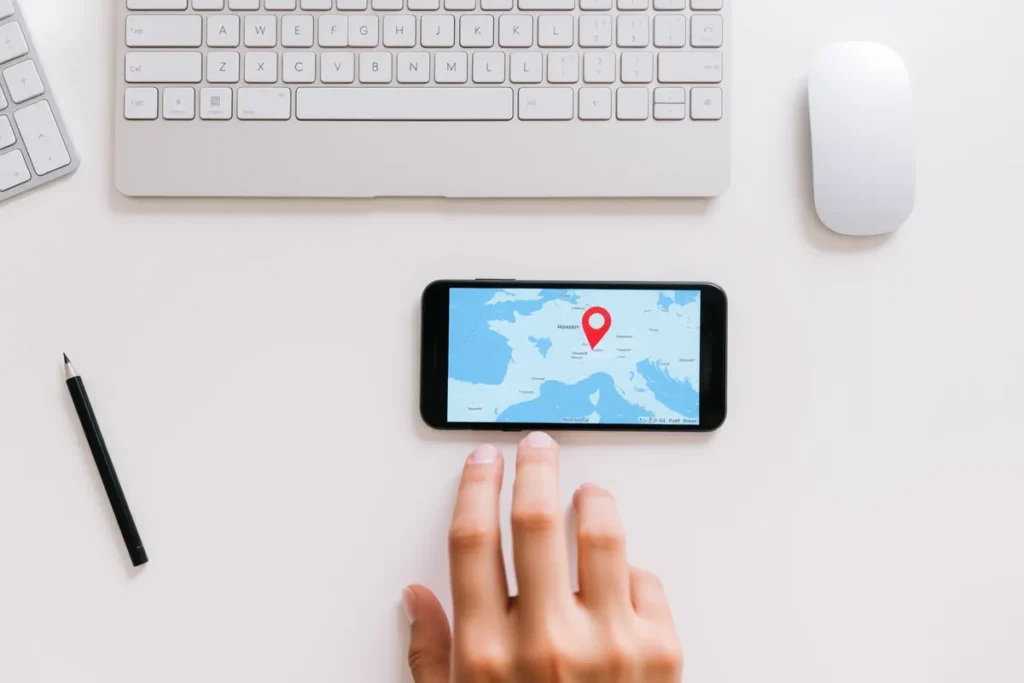
A Google Business Profile puts a repair business on Maps and in the Map Pack for urgent local searches. Optimise it with the right category, services, hours, photos, and reviews. Repair searches are local: plumber near me drew 90,500 UK Google searches a month, more than plumber alone. Profile chat ended on 31 July 2024, so older advice to use it no longer applies.
- Right category for your main trade.
- Accurate hours and service area.
- Reviews and photos build trust.
A Google Business Profile is what puts a repair and maintenance business on Google Maps and in the Map Pack for the urgent searches that drive callouts. Google says local results are “mainly based on relevance, distance and popularity”, and the profile is where a repair business sets the first, shows where it works for the second, and gathers the reviews that count towards the third. This guide covers how to set up and optimise it for a repair business, building on general profile optimisation.
Why Is the Profile Critical for Repair?
Because it is what urgent customers see and act on. The profile decides whether Google shows your repair business for local searches, and whether the customer calls. It carries your trade category, services, hours, service area, photos, and reviews. Most repair searches name the place or say “near me”: plumber near me drew 90,500 UK searches a month, electrician near me and locksmith near me 74,000 each, and handyman near me 18,100. Those are the searches a profile competes for. That is the subject of Local SEO for Repair and Maintenance Businesses.
How Do You Optimise a Repair Profile?
Set the right primary category
Match your main trade, such as plumber or electrician, then add relevant secondary categories.
List services and accurate hours
Add every repair service and your real hours, including emergency or same-day availability.
Add real photos
Photos of your team, vans, and completed work build trust and engagement.
Build and reply to reviews
Google says “more reviews and positive ratings can help your business’s local ranking”. Reply to each. See getting reviews.
What Holds Repair Profiles Back?
The same avoidable gaps recur. The wrong category, missing services, inaccurate hours, no photos, and few reviews hold a repair profile back. Inaccurate hours are especially damaging for urgent work, since a customer who calls outside the listed hours goes elsewhere. Fix the category, fill in every service, keep hours accurate, add real photos, and build reviews, and the profile starts winning the calls it should.
Pillars of a Strong Google Profile
Complete every detail
The right categories, services and hours make you relevant and findable.
Photos & posts
Real photos of your work and regular posts signal an active, trusted business.
Steady reviews
A constant flow of genuine reviews drives both ranking and trust.
How Often Should You Update a Repair Profile?
A repair business profile should be treated as a live asset, not a one-time setup. Posting an update every week or two, refreshing photos, and keeping hours accurate signals an active business and keeps you engaging for customers who check before calling. For urgent trades, accurate hours are especially important, because a customer who calls outside your listed times simply moves on.
Regular activity also reinforces prominence over time. Replying promptly to every review, adding new job photos, and posting occasional updates all tell Google the business is current and trusted. The cumulative effect of a tended profile beats a neglected competitor’s, and it costs only a few minutes a week to maintain.
Which Photos Build Trust for a Repair Business?
Photos reassure a customer who is about to let a tradesperson into their home or business. Real images of your uniformed team, branded vans, and completed jobs build far more trust than stock photos of anonymous workers. Before-and-after shots of repairs, where relevant, prove competence at a glance.
- Adding photos regularly rather than in a single batch keeps the profile fresh and signals an active business.
- For repair trades, images that convey professionalism, clean work, and proper equipment do the most to reassure a customer choosing who to trust with an urgent or technical job.
- Authentic photos of your actual work consistently outperform generic imagery.
How Do Profile Categories Work for Repair Trades?
Categories tell Google what your business is, and Google’s guidelines ask you to “use as few categories as possible to describe your overall core business from the provided list”. Set it to your main trade, such as plumber, electrician, or appliance repair service, then add secondary categories for the other services you genuinely offer. A multi-trade handyman should pick the trade most of the work comes from, not list every job they can do as a category.
Avoid adding loosely related categories that dilute focus, and do not leave relevant ones off, which means missing those searches entirely. Reviewing the categories your best-ranking competitors use is a useful guide. For multi-trade businesses, the primary category should reflect the service you most want to be found for, with the rest captured as secondary categories and listed services. This sits next to Ranking for “Emergency Near Me” Searches in the same sequence.
Can Customers Still Message or Ask Questions on a Repair Profile?
Not in the way older guides describe. Google ended Business Profile chat: “As of 31 July 2024, the chat and call history features are no longer available in your Business Profile.” For eligible accounts, customers can contact you from the profile by text message or WhatsApp instead. Q&A is now “available only for select business categories and regions”, and Google discontinued the My Business Q&A API on 3 November 2025. The questions repair customers ask before calling, whether you do emergency callouts, which areas you cover, whether you are insured or Gas Safe registered, belong in your service descriptions and on your website, where they cannot disappear.
Listing services with short descriptions reinforces relevance and is available to every profile. Name each repair the way customers search it, washing machine repair, boiler repair, roof repair, and say in the description whether you offer same-day or emergency callouts. Where Google offers social links in your region, add your Facebook page and Instagram account; Google allows one link per platform.
How Do You Use Google Posts for a Repair Business?
Google Posts let you add timely updates directly to your profile, and for repair businesses they are a chance to highlight seasonal services, offers, or recent jobs. A post about boiler servicing before winter, or a completed repair, keeps the profile active and gives customers a reason to engage. Posts appear in your listing and reinforce relevance.
- The value is partly in the freshness signal and partly in conversion: a well-timed post promoting a relevant service can prompt a customer who is on the fence.
- Keep posts short, useful, and regular rather than sporadic.
- They support the profile rather than driving rankings directly, but an active posting habit contributes to an engaged, trusted listing.
How Do Hours and Availability Affect Repair Profiles?
Accurate hours are critical for repair trades because customers act on them immediately. If your profile shows you as closed when you actually offer emergency cover, you lose the out-of-hours jobs. Conversely, advertising hours you cannot honour leads to missed calls and damaging reviews.
Set hours that reflect your genuine availability, including any emergency or same-day cover, and update them around holidays. For businesses offering 24/7 service, make that unmistakable, and use the word customers type: emergency plumber drew 12,100 UK searches a month, 24 hour plumber 1,000 and plumber open now just 40. Hours are not just information; they directly shape whether an urgent searcher contacts you, so keeping them accurate is a direct driver of jobs.
Which Searches Does a Repair Profile Compete For?
These are average monthly Google searches in the UK from September 2025 to August 2026, from Google Ads keyword data. The type column describes the wording of the search, not who made it.
| Search term | UK searches a month | Type |
|---|---|---|
| plumber near me | 90,500 | Local |
| electrician near me | 74,000 | Local |
| locksmith near me | 74,000 | Local |
| plumber | 60,500 | Trade |
| handyman near me | 18,100 | Local |
| emergency plumber | 12,100 | Urgent |
| washing machine repair near me | 12,100 | Local |
| roof repair near me | 9,900 | Local |
| boiler repair near me | 6,600 | Local |
| emergency electrician | 4,400 | Urgent |
| 24 hour plumber | 1,000 | Urgent |
| plumber open now | 40 | Urgent |
Two keyword lessons follow. “Near me” carries the volume, so the profile, the service area and the reviews do most of the work. Urgency is typed as “emergency”, not “24 hour” or “open now”, so put that word in your services and description. Emergency clicks are expensive if you advertise: in Google Ads data a click on emergency plumber costs about 2.7 times a click on plumber near me. Linking the profile to Google Ads lets your ads use its data as location assets, which show “the shop address, a map to the shop location or the approximate travel distance”; check what they would show if your address is hidden.
How Do You Get and Manage Reviews on the Profile?
Reviews count towards ranking: Google says popularity is based on “info like how many websites link to your business and how many reviews you have”. Ask every satisfied customer at the end of the job, when their relief is fresh, and make it effortless with a direct review link. Building the request into your routine produces the consistency that a sporadic approach never matches.
Reply to every review, thanking positive reviewers and addressing concerns calmly; Google says replying “shows that you value their feedback”. Never trade a discount for a review without saying so: CAP Code rule 3.45 requires marketing to “make clear where consumer reviews have been incentivised”. For repair trades, reviews that mention prompt, reliable callouts are especially persuasive to the next anxious customer.
Can a Repair Business Rank Without a Shopfront Address?
Yes. Most repair tradespeople work from a van or home rather than a customer-facing premises. If you do not serve customers at your address, Google’s instruction is to “remove your address and only enter your service area”. You can set up to 20 service areas, and the overall area “shouldn’t be more than about two hours of driving time from where your business is based”.
- The key is to set the service area honestly to the towns you genuinely serve, keep the profile complete, and support it with genuine area pages.
- Distance still counts, because Google names it as one of the three main ranking factors, so expect to show most strongly near your base and support the further towns with genuine area pages.
- The lack of a public address is no barrier, provided the service area and supporting content are genuine.
What Are Common Repair Profile Mistakes?
The frequent mistakes are the wrong primary category, missing services, inaccurate hours, no photos, and too few recent reviews. For repair trades, inaccurate hours and a slow or unanswered phone are particularly costly, because urgent customers act instantly and move on if you appear unavailable.
Inconsistent business details across the web, neglecting reviews, and ignoring the profile’s features round out the list. Keep your name, address and phone number (NAP) identical everywhere: Google’s guidelines ask that the name reflect your “real-world name, as used consistently on your shopfront, website, stationery and as known to customers”. Each mistake is correctable without any new content.
Last Thoughts on Google Business Profile for Repair
For a repair business, a complete, accurate Google Business Profile is the asset that wins urgent calls. Set the right category, list every service, keep hours accurate, add real photos, and build reviews. The profile ranks you in the Map Pack and convinces urgent customers to call, so it deserves priority over every other asset.
- The profile drives Map Pack visibility for urgent searches.
- Set the correct primary category for your trade.
- Keep hours and service area accurate.
- Real photos and a steady review flow build trust.
- Inaccurate hours lose urgent customers.
- Profile chat ended in July 2024; put common answers in your services and website.
Frequently Asked Questions (FAQs)
Is a Google Business Profile free?
Yes. It is free to claim and run.
What category should a repair business use?
The one matching your main trade, such as plumber or electrician, with relevant secondary categories added.
How important are accurate hours?
Very. Customers who call outside your listed hours go elsewhere, so keep hours and emergency availability accurate.
Do I need a physical address?
No. If you do not serve customers at your address, Google’s instruction is to remove it and enter your service area, up to 20 areas within about two hours’ drive of your base.
How many photos should I add?
Several real ones of your team, vans, and finished work, added regularly. Real photos beat stock images.
Should I reply to reviews?
Yes, to all of them. Google says replying to reviews shows that you value customers’ feedback.
Can I list emergency services on the profile?
Yes. State emergency or same-day availability clearly so urgent searchers know you can help.
Why is my profile not showing?
Often it is incomplete, has the wrong category, lacks reviews, or has inconsistent details. Complete and correct each.
Does posting on the profile help?
It signals an active business and keeps customers engaged. It supports the profile rather than being a direct ranking lever.
What if a competitor has more reviews?
Keep a steady flow of genuine reviews. Google says more reviews and positive ratings can help, but relevance and distance count too, so a nearer, better-matched profile can still be shown first.
Can customers message me through my profile?
Not through Google’s chat, which ended on 31 July 2024. For eligible accounts, customers can contact you from the profile by text message or WhatsApp, and the phone number remains the main route for urgent jobs.
Should my profile say emergency or 24 hour?
Use the word customers type. Emergency plumber drew 12,100 UK searches a month, against 1,000 for 24 hour plumber and 40 for plumber open now, so name emergency callouts in your services and description if you offer them.
- Google Business Profile Help, Tips to improve your local ranking on Google, for relevance, distance and popularity, reviews and replies.
- Google Business Profile Help, Changes to Business Profile chat and call history and Edit your Business Profile; Google for Developers, Q&A API change log.
- Google Business Profile Help, Manage your service areas, Guidelines for representing your business and Manage your social media links.
- Google Ads Help, About location assets; ASA, CAP Code section 3, rule 3.45.
- Google Ads keyword data for the United Kingdom, average monthly searches and cost per click, September 2025 to August 2026, retrieved through DataForSEO on 5 October 2026, for every search figure and cost ratio.