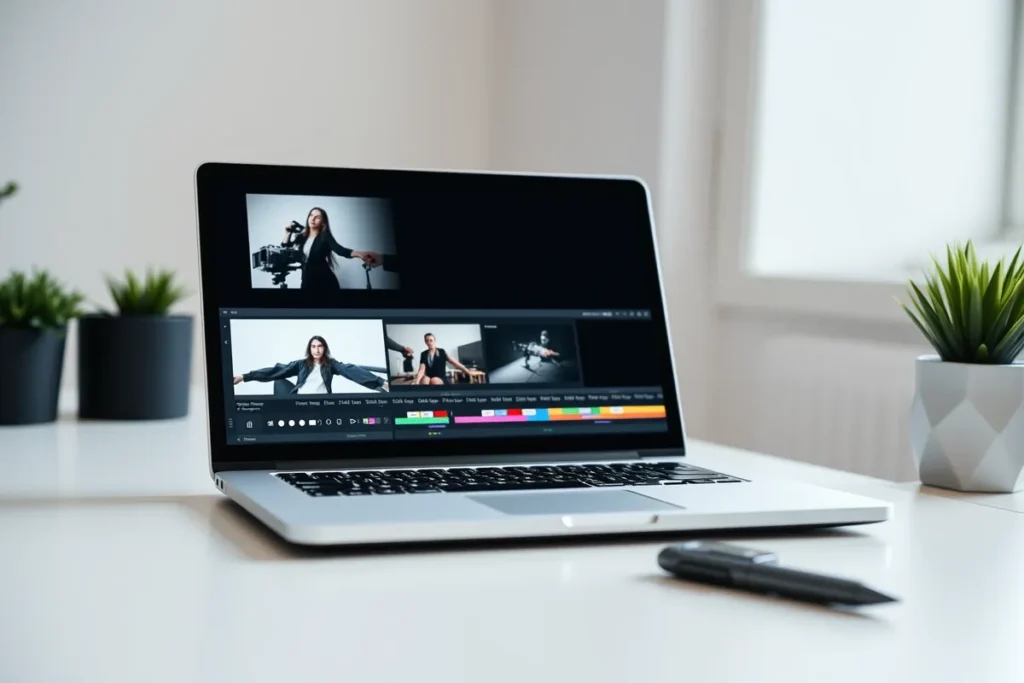
Editing is what turns raw footage into an ad that holds attention. Lead with the hook, add captions, keep the pacing tight, use a light touch on music and branding, and a simple phone app is enough. The practical steps are in Measuring UGC Ad Performance.
- Trim to the hook in the first seconds.
- Add captions, since most watch on mute.
- Keep it tight, 15 to 30 seconds.
Editing is what turns raw footage into a UGC ad that holds attention, taking a rough clip and shaping it into something people watch to the end. It does not require expensive software or skill, just a few principles. This guide covers leading with the hook, captions, pacing, music and branding, and the simple apps that do the job.
How Do You Lead With the Hook?
The edit must put the hook first, no matter where it was filmed. Trim the clip so the strongest moment lands in the first three seconds. Cut any slow lead-in and start on the line, question, or visual that stops the scroll. If the best moment was filmed late, move it to the front. The opening seconds decide whether the rest is watched, drawn from your scripts and hooks.
Why Do Captions and Text Matter?
Captions are not optional for social video. Most people watch on mute, so add captions and key text on screen. Burn in captions so the message lands without sound, and add short text to reinforce the hook and the offer. Captions also keep viewers reading and watching longer. This single step often makes the biggest difference to how an ad performs. If that applies to you, read UGC Video Ad Mistakes to Avoid next.
How Do You Get the Pacing Right?
Tight pacing keeps people watching. Cut dead air, pauses, and rambling so every second earns its place. Trim the gaps between sentences, remove repeated takes, and keep the energy up. A UGC ad should feel brisk, not rushed, moving from hook to proof to call to action without lag. If a moment does not add to the message, cut it.
What About Music, B-Roll, and Branding?
Use these with restraint. Keep music, b-roll, and branding light so the ad stays native rather than over-produced. A subtle track, a little supporting footage, and minimal branding are fine, but heavy graphics and logos make it look like an advert and break the UGC feel. The goal is content that belongs in the feed, not a polished commercial. We cover this separately in Why UGC Ads Outperform Polished Ads.
What Apps and Tools Should You Use?
You do not need professional software. Simple phone editing apps handle trimming, captions, and pacing perfectly well. Free and low-cost apps offer auto-captions, easy cuts, and basic text, which covers everything a UGC ad needs. Start with a phone app and only move to desktop software if you are producing at volume. Good filming, as in filming on a phone, makes editing far quicker.
What Makes UGC Work?
Authentic content
Genuine, phone-shot clips feel real and build trust polished adverts cannot.
Proof & transformation
Real before-and-afters and testimonials prove your results.
Track what converts
Measure engagement and enquiries to make more of what works.
How Much Editing Does UGC Need?
UGC needs only light editing, since over-polished content can lose the authentic feel that makes it effective. Simple edits, trimming, adding captions, basic pacing, are usually enough to make content clear and engaging while keeping it genuine. Heavy, advertising-style editing can undermine UGC’s authenticity, so the aim is tidy, not over-produced.
Light editing enhances UGC without removing its authenticity. For home-services businesses, UGC editing should be minimal, just enough to tidy the content, trim dead time, add captions, and improve flow, while preserving the genuine, unpolished feel that audiences trust. Over-editing into a slick ad defeats the purpose. Keeping editing light, enhancing clarity and engagement without sacrificing authenticity, produces the polished-enough yet genuine home-services UGC that resonates. The foundations are in Getting Reviews for a Repair Business.
What Basic Edits Improve UGC?
Basic edits that improve UGC include trimming to remove dead time and keep it tight, adding captions for viewers watching without sound, ensuring good pacing, and simple cuts that maintain flow. These straightforward edits make content clearer and more engaging without heavy production. Captions especially help, since many social viewers watch on mute.
- Trimming, captions, and pacing are the high-value basic edits.
- For home-services businesses, the basic edits that lift UGC are removing slow or dead parts, adding captions so silent viewers follow along, and keeping the pacing engaging with simple cuts.
- These improve clarity and watchability while staying authentic.
- Focusing on these straightforward, high-impact edits, rather than elaborate production, makes home-services UGC clearer and more engaging while preserving the genuine feel that makes it work.
Why Are Captions Important for UGC?
Captions are important because many social media viewers watch with the sound off, so without captions they miss the message of your content. Adding captions ensures the content communicates even on mute, capturing the large share of silent viewers and improving accessibility. For UGC relying on a spoken message, like testimonials, captions are essential to reach the full audience.
Captions capture the many viewers who watch without sound. For home-services businesses, captions are a crucial, easy edit for UGC, since a large portion of social viewers watch silently and would otherwise miss spoken content. Captioning testimonials, tips, and any spoken message ensures it lands regardless of sound, widening reach and aiding accessibility. Adding captions to home-services UGC is a simple step that significantly increases how many viewers receive the content’s message.
How Do You Edit Without Losing Authenticity?
You edit without losing authenticity by keeping edits light and natural, trimming and tidying rather than polishing into an ad, and preserving the genuine voice and feel of the content. Avoiding over-production, heavy effects, or scripted-feeling cuts keeps the content real. The goal is content that looks tidy but genuine, not slickly produced.
Light, natural editing preserves the authenticity that makes UGC work. For home-services businesses, editing UGC without losing authenticity means doing just enough, trimming, captions, simple cuts, to make it clear and engaging, while keeping the unpolished, genuine quality audiences trust. Over-editing into advertising-style content removes the believability that converts. Editing with a light touch, enhancing without polishing away the authenticity, ensures home-services UGC stays genuine and effective while being clear and watchable.
Last Thoughts on Editing UGC
A tight edit with captions and a strong opening is what makes UGC perform. The footage matters, but the edit is what holds attention and drives the message home. Lead with the hook, caption everything, cut the dead air, keep branding light, and a simple app will turn raw clips into ads that book jobs.
- Trim the edit so the hook lands in the first three seconds.
- Add captions; most people watch on mute.
- Cut dead air to keep the pacing tight.
- Use music and branding lightly to stay native.
- Simple phone apps are enough.
Frequently Asked Questions (FAQs)
Do I need expensive software?
No. Phone apps handle trimming, captions, and pacing well enough for UGC ads. Desktop software is only needed at volume.
Should every UGC ad have captions?
Yes. Most viewers watch on mute, so captions are essential for the message to land.
How long should the final cut be?
Usually 15 to 30 seconds, with the hook in the first three seconds.
What is the most important edit?
Leading with the hook. If the first three seconds do not grab attention, the rest is never seen.
Can I auto-generate captions?
Yes. Many apps add captions automatically. Always check them for accuracy before publishing.
Should I add music?
Lightly, if it suits. Keep it subtle so it supports the message without making the clip feel like a produced ad.
How much branding should I add?
Minimal. Heavy logos and graphics reduce the native feel that makes UGC perform. Keep it light.
What if my footage is too long?
Cut to the strongest moments. Trim pauses and repetition until every second adds to the message.
Can editing fix bad footage?
Only so much. It can tighten and caption a clip, but poor light or audio is hard to rescue. Film well first.
Should the edit look polished?
No. Keep it clean but native. Over-editing makes it look like an advert and undermines the UGC effect.